

Scan Date:Feb 28, 2026
Show More

Url Player + is built for moments when you receive a video link and want to watch it immediately. It suits users who test live streams, check CCTV or RTSP feeds, or keep a list of reliable media URLs for quick viewing. Because it focuses on links, it stays simple and fast to use across everyday apps and browsers. If you prefer a small, direct tool without accounts, the Url Player + APK fits that need for link based playback.
Url Player + plays many common streaming formats so you can open different kinds of sources with one app. It supports MP4 files and adaptive streaming such as HLS and DASH. It also works with real time streams like RTSP and RTMP when you need to view cameras or test endpoints. This range helps you move from hosted files to live feeds without changing tools.
Private by designUrl Player + does not require an account and does not run analytics. Your URLs, favorites, and history are stored only on your device and are not sent to external servers. No login appears at startup and no background tracking runs while you watch. This design keeps your viewing list local and under your control.
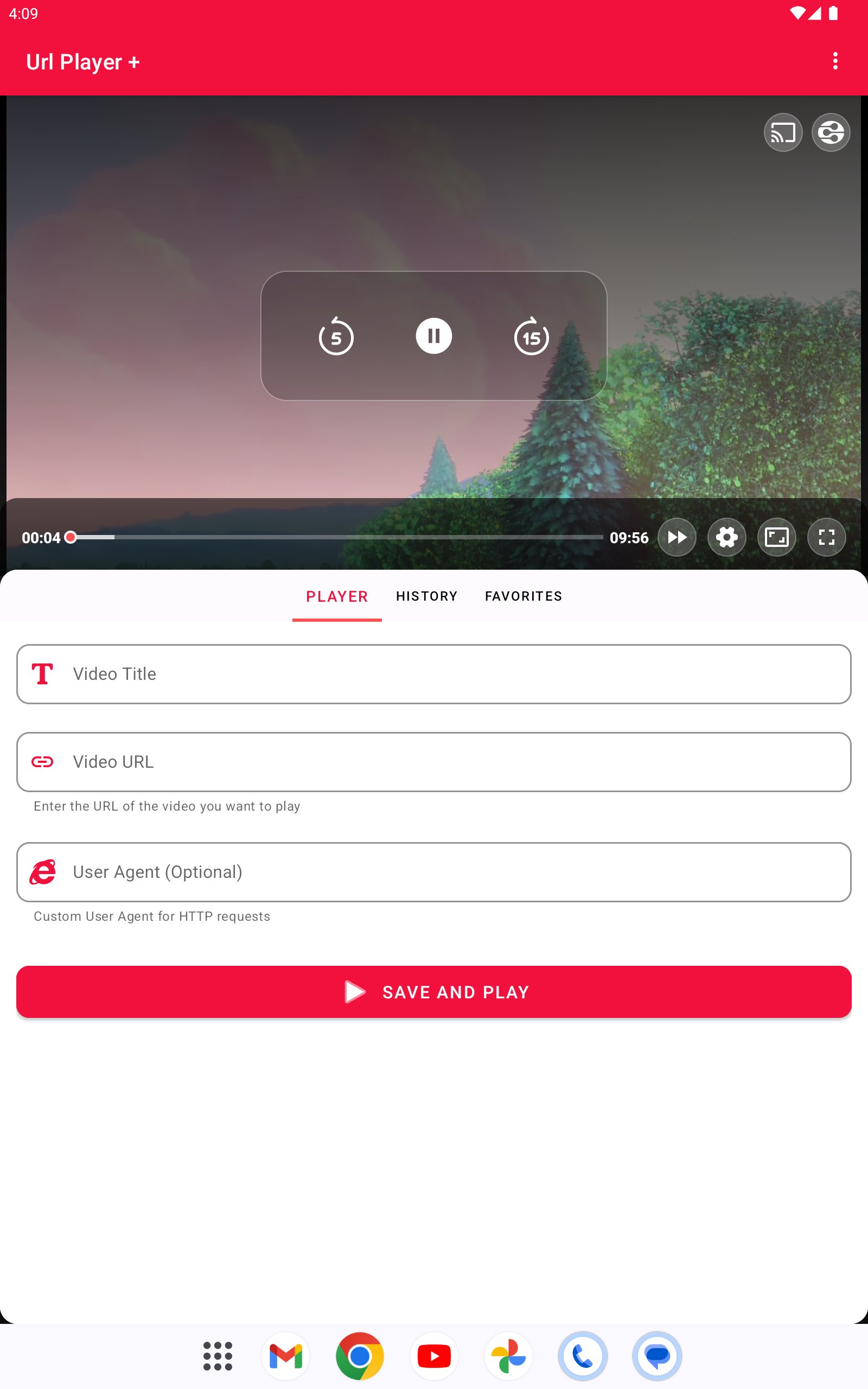
Playback controls for everyday useYou can adjust playback speed to follow tutorials or long recordings at your own pace. Picture in picture lets you keep the video visible while you check mail or browse the web. Controls remain simple so you can pause, seek, and resume without extra steps. This helps when you multitask and still need the video in view.
Open links from other appsUrl Player + accepts links shared from browsers, messaging apps, and email. You can open a video URL directly from the share menu or choose the app when tapping a link. Favorites let you save frequent streams for later, and History makes it easy to return to a recent link. This short path from link to playback reduces the time between finding and watching.
Casting and added compatibilityWhen you want a bigger screen, casting to a Chromecast device is available with a simple tap. If a site requires a specific client, you can set a custom user agent to satisfy that check. The app also offers optional video downloads for offline viewing when the source permits it. Always make sure you have rights to save any content before using this option.
Url Player + does not include built in media catalogs or playlists. You provide your own links and use the app as a player for those sources. If you decide to save a video for offline use, confirm that your content and region allow downloads and personal storage.
This quick guide shows how to open a video link and keep useful URLs close at hand. After you download Url Player +, you can start playback from any valid link in just a few steps.
Url Player + focuses on private, link based playback with protocol support for files and live streams. Install the Url Player + latest version to try your URLs on your Android device and keep your viewing data on your phone.
For official help and more details, use the links below.
Latest Version
1Uploaded by
Zubair Yunus
Requires Android
Android 5.0+
Category
Free Video Players & Editors AppContent Rating
Everyone
Security Report
Report
Flag as inappropriateLast updated on Oct 25, 2025
fix some errors , improvements .





APKPure - A multi-platform app store primarily focused on Android, providing extensive app-related content. Discover the app you want easier, faster, and safer, with quick and efficient downloads and installations.