Scan Date:May 10, 2026
Show More


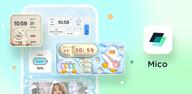
Mico suits users who want a tidy, personal phone layout without long setup time. It focuses on simple steps to arrange screens, change looks, and keep useful info within reach. Because it covers both style and function, it works for quick refreshes as well as detailed builds. With clear categories and guided options, you can test layouts and switch back anytime. For users seeking an easy start, Mico APK offers a direct way to explore the core toolkit.
Large widget library for home and lock screens
Mico provides a library of more than a thousand options, including photo frames, a basic music player, battery displays, couple widgets, and motivational quotes. You can place widgets on the home screen or lock screen, then adjust size and style to match your layout. Top designer selections are highlighted so you can pick a look quickly without building from scratch. This range supports both simple setups and multi-page dashboards.
4K live and video wallpapers with DIY options
You can browse daily updates across anime, landscapes, and abstract themes, then apply static, live, or video backgrounds. If you prefer a personal touch, turn your own photos or short clips into a Mico wallpaper with basic editing and preview. The app keeps categories organized to make discovery easier and to help you rotate looks over time. Once applied, you can save favorites to revisit later.
AI depth effects and Focus Mode matching
Mico adds AI based filters and portrait depth effects that create a layered feel on supported wallpapers. Focus Mode matching allows wallpapers to auto switch based on time or location, which helps separate work, travel, and home contexts. You can set simple rules to automate these changes so your screen adapts throughout the day. This approach trims routine adjustments and keeps the background relevant.
DIY Widget Builder and Widgify tools
Using the DIY builder, you can convert photos or GIFs into an interactive Mico widget with quick controls. Ready made styles speed up layout decisions if you do not want to design from a blank canvas. Widgify tools simplify alignment, tap targets, and data display so widgets remain readable and functional. This mix of manual and guided options supports both fast placement and deeper customization.
Smart layouts and icon packs for a coherent look
Mico includes a Smart Layout Engine with presets for common themes such as gaming focus, kawaii styles, and social friendly grids. You can pair these with more than two thousand icon packs, including retro pixel sets, neon glow collections, and marble looks. The combination helps align widgets, icons, and backgrounds for a cohesive result. Presets also make it easier to revert or try new looks without redoing everything.
Useful extras and optional sync
Beyond visuals, Mico provides lightweight utilities like step counters and health dashboards that surface daily data on the home screen. A Smart Text Designer includes hundreds of editable quotes to place within widgets or wallpapers. If you use multiple devices, an optional cross platform sync can keep style choices aligned between Android and iOS. These extras tie function to design so the screen looks organized and stays informative.
Mico is focused on widgets, icon packs, and wallpapers. It does not provide live streaming, chat rooms, or friend matching. If the goal is social interaction, this app will not fit that use case. Users who want a clean home screen makeover with practical widgets are the intended audience.
The app highlights designer made Top Widgets and community style presets in its browse sections. Seasonal and topical packs, such as holiday themes or new anime drops, are surfaced to help you refresh layouts with minimal effort. These highlights are rotated on a regular cadence so there is always a short list of ideas ready to try. This structure helps you preview looks quickly before committing to a full redesign.
Some options, such as step counters or gallery based wallpapers, may request access to activity and media so widgets and backgrounds display correctly. Launcher settings and lock screen rules vary by device, so check widget placement options if a control is not visible on the lock screen. Users who prefer a quick path can rely on presets, while others can build layouts manually for finer control. For clarity during the Mico app download, confirm that home screen widgets are supported by your current launcher.
To begin, install and open the app, then review the initial prompts. For a fast start, download Mico and follow the setup guide to choose a style and place your first widget. You can adjust everything later without losing your earlier choices.
Mico brings widgets, wallpapers, layouts, and icon packs together so you can build a clear and consistent home screen. For the most stable experience, try the Mico latest version and adjust features at your own pace. Users can switch between presets and DIY tools anytime to refine both look and function.
For official details or support, use the resources below.
Latest Version
1.57.0Uploaded by
Marley Mathers
Requires Android
Android 6.0+
Category
Free Personalization AppContent Rating
Everyone
Security Report
Report
Flag as inappropriateLast updated on May 10, 2026
Minor bug fixes and improvements. Install or update to the newest version to check it out!




APKPure - A multi-platform app store primarily focused on Android, providing extensive app-related content. Discover the app you want easier, faster, and safer, with quick and efficient downloads and installations.