Scan Date:May 11, 2026
Show More
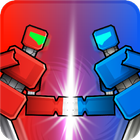

MechaStick Fighter fits short sessions at home or on the go, especially when you want a simple setup on one phone or tablet. Matches start fast, then reset quickly so everyone gets a turn without long waits. It focuses on accessible controls and playful physics that lead to chaotic moments. Whether you play solo or pass the device around, the pace stays lively. If you prefer an easy download, the MechaStick Fighter APK on APKPure helps you install and jump in without extra steps.
Local play for one to four players
You can run quick rounds for one to four people on a single phone or tablet. The game works offline, which suits travel, dorm rooms, and living rooms without a reliable connection. Short match flow keeps turns moving so players rotate smoothly during couch sessions.
Ragdoll mecha combat
Fights rely on physics to drive movement and collisions. Each hit can tilt a robot, topple it, or swing momentum in unexpected ways. This lets you read timing and space rather than memorizing long inputs, which keeps exchanges lively.
Destructible arenas and power-ups
Stages react as objects crack and fall during battle. Power-ups appear and can change control of a round within seconds. You need to adapt when a wall opens a new path or a pickup shifts your attack options.
Robot customization and transformations
You can change colors and parts to match a preferred approach, then test how it feels in quick bouts. Certain robots can transform to adjust tactics mid-match. Character variety adds light humor, with choices that include classic mechs along with options inspired by creatures like Stickzilla and monkey or gorilla variants.
Controller support for responsive play
The game supports external controllers if you prefer sticks or pads for local sessions. Inputs feel direct, which helps when several players share one screen and want precise moves. Touch controls remain available for simple setup on the same device.
After you download MechaStick Fighter, open the game and set up a fast local session or a solo match. The menus keep choices simple so you can move from selection to battle without long steps.
Start the game, then choose solo or local multiplayer. If others are playing, confirm the number of players and connect any controllers before proceeding.
Select a robot or character, then adjust colors and parts if you want a custom look. If you plan to use transformations, pick a model that supports them.
Pick an arena next. Consider how breakable platforms or obstacles might affect movement and plan your opening approach accordingly.
Review the control layout on the screen. If using a controller, check basic movement and attack inputs, then begin the match when everyone is ready.
During the round, watch for power-ups and shifting terrain. Respond to physics swings, then after the result screen, return to selection for a rematch or a new setup.
This stickman ragdoll brawler focuses on quick local fights, easy setup, and chaotic physics. Download MechaStick Fighter latest version on APKPure to try fast rounds with touch or controller input.
Latest Version
1.0Uploaded by
صہآيہعہ بہضہمہيہر
Requires Android
Android 6.0+
Category
Free Action GameContent Rating
Everyone
Security Report
Report
Flag as inappropriateLast updated on May 11, 2026
New Team Fight Mode
Gun weapon ability change
Stickzilla laser ability -increased accuracy



APKPure - A multi-platform app store primarily focused on Android, providing extensive app-related content. Discover the app you want easier, faster, and safer, with quick and efficient downloads and installations.